Setting up your studio
Your website can get your booking page started
Use the information you already have to get started with detailmasters.
By detailmasters · Published October 19, 2026 · 1 min read
What can we use from your website?
Your website already introduces your studio, shows your services and explains what they cost. During setup in detailmasters, you can use it as a starting point. We read the public pages and collect the information available.
- Studio name, description and contact details.
- Address and opening hours.
- Logo, cover photo and other available images.
- Services and prices published on the website.
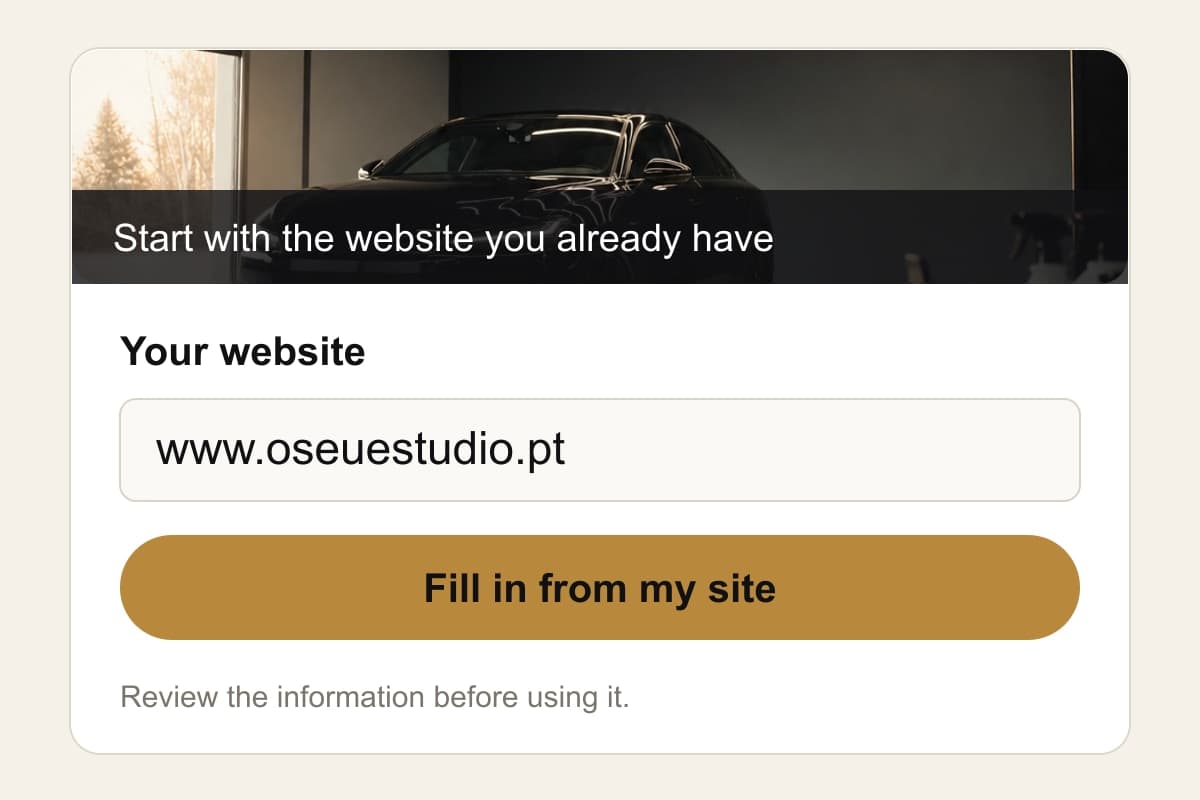
How does the import work?
Create a studio owner account and look for Have a website? at the start of setup. Enter the address and choose Fill in from my site. When the results appear, review the information, deselect anything you don’t want to use and select Use selected. You can edit the filled-in fields in the following steps.
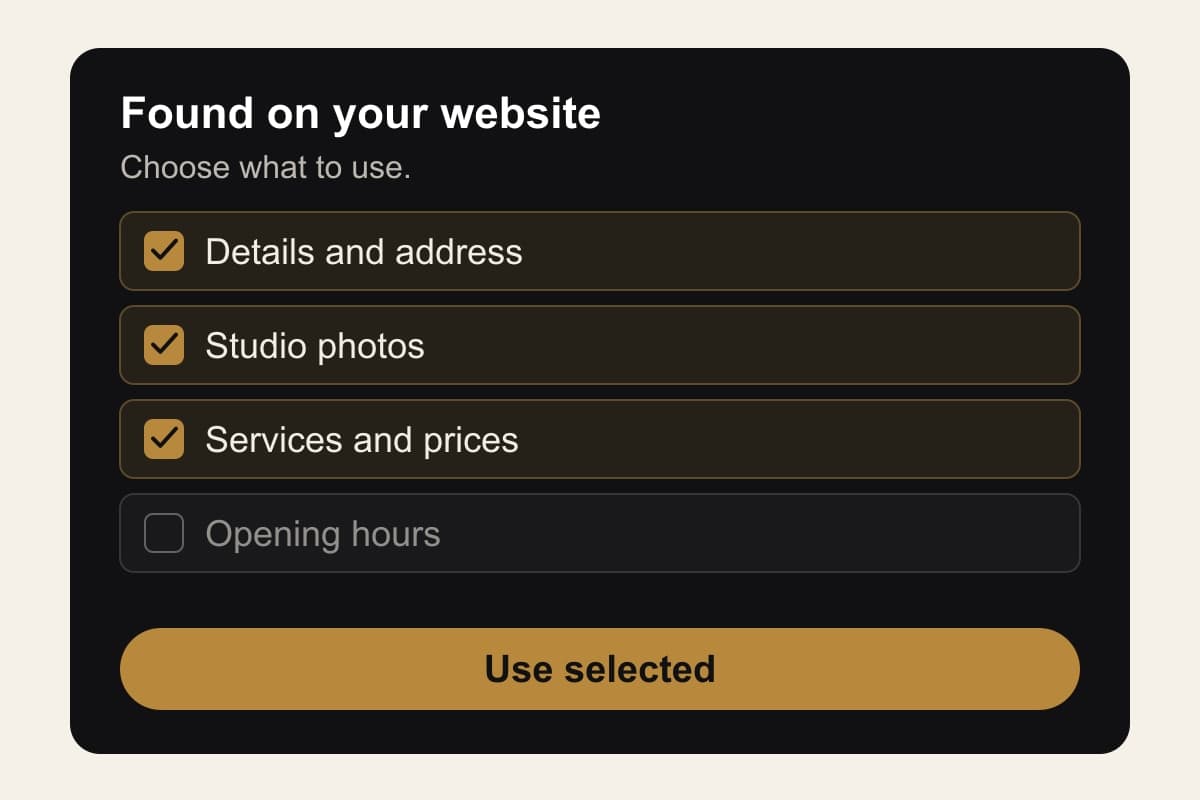
What should you check before publishing?
Check the address, contact details and prices. The import depends on the content we can read: fill in anything missing and confirm the currency of imported prices. Applying the information fills in your setup; publishing is a separate step and requires an active plan. This lets you review the page before making it available to customers.
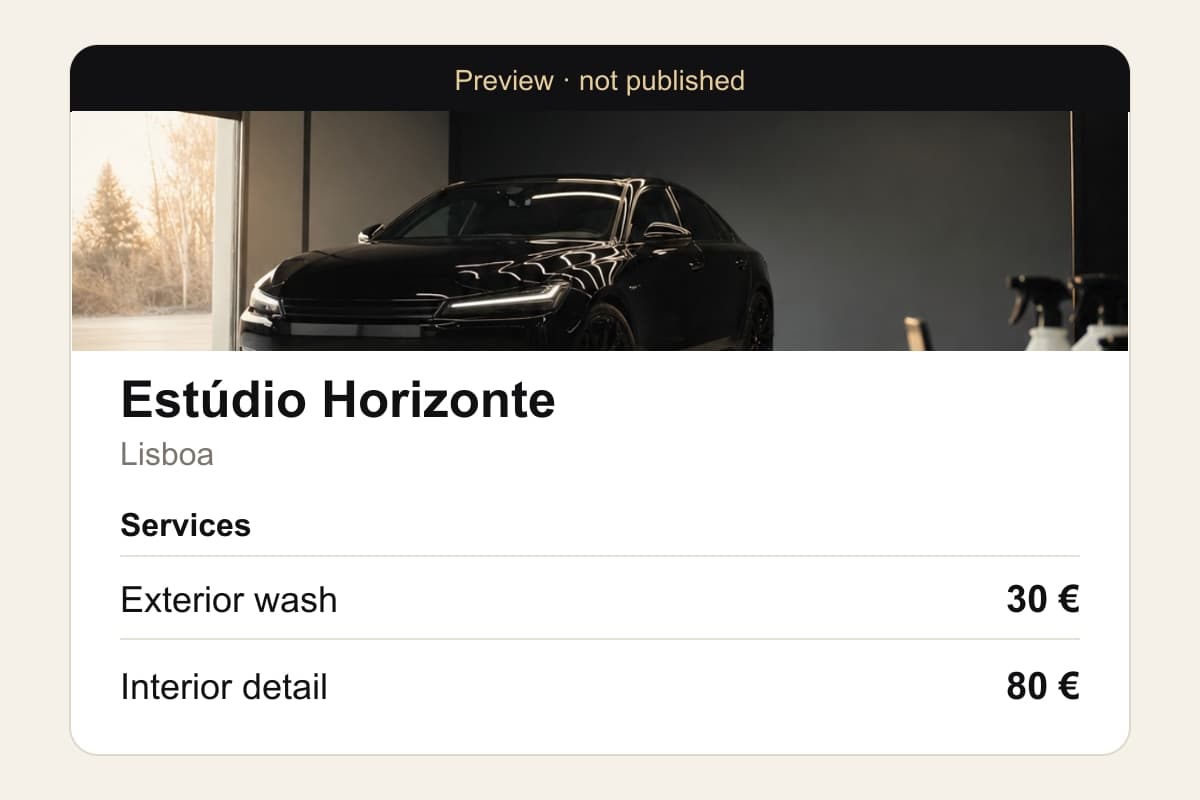
More time for detailing. Less time for admin.
detailmasters
Run your studio on one platform
Online bookings, customer CRM, automated follow-ups and invoicing — built for detailing studios.
Start setting up my studio