Studio management
Your studio already has customers. Take their history with you when you change software.
Import completed, paid jobs into detailmasters CRM from Excel or CSV.
By detailmasters · Published 21 October 2026 · 1 min read
What happens to your records when you start using detailmasters?
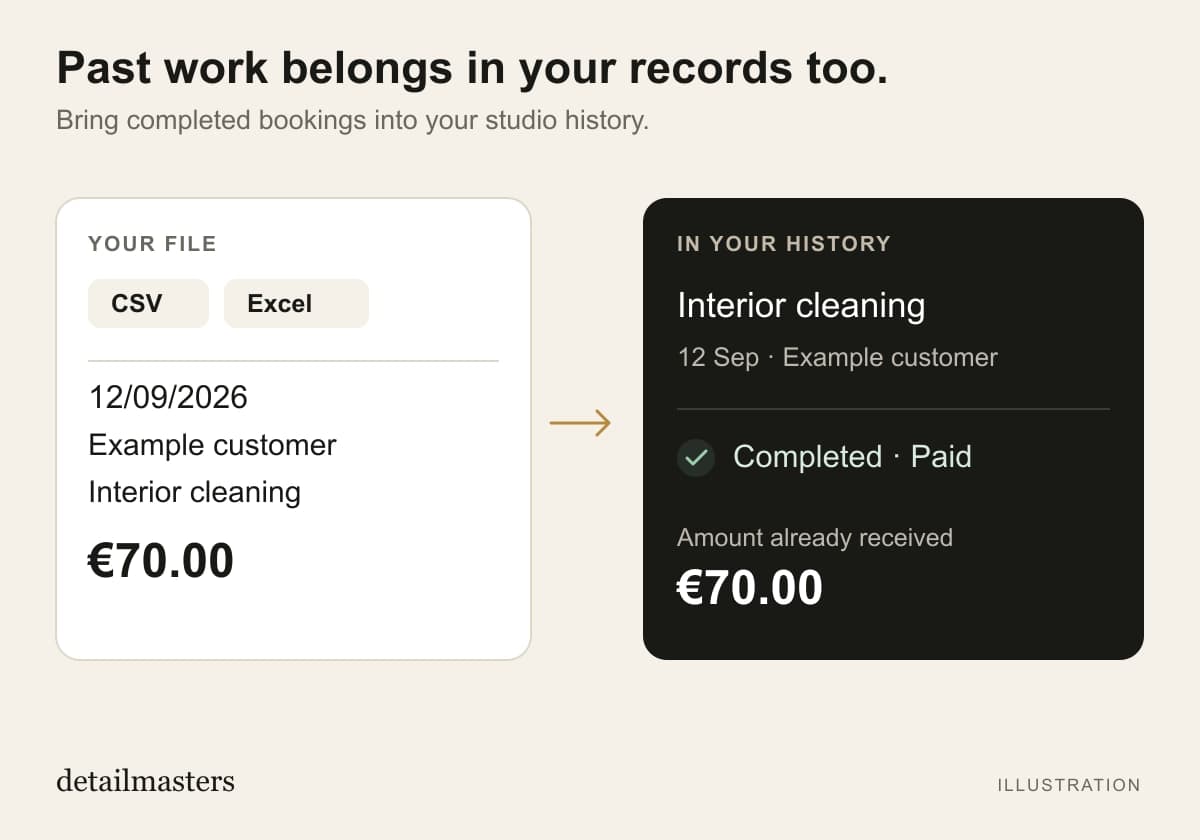
A customer returns to your studio and asks for the same service as last time. If the record is still in a spreadsheet, you have to find it outside the software you now use. In detailmasters CRM, you can add past bookings and consult those jobs in the same history. Each entry is recorded as completed and paid, with the service provided and the amount you already received.
What information should you prepare in the file?
Keep a copy of the original file and organise one booking per row, with column headers. The importer accepts CSV and Excel (.xlsx), up to 500 rows and 4 MB per file. The service date, customer name, service and amount received are required. You can add contact details, vehicle, registration number and notes. Use the studio’s currency: the importer does not convert amounts.
How do you check bookings before saving them?
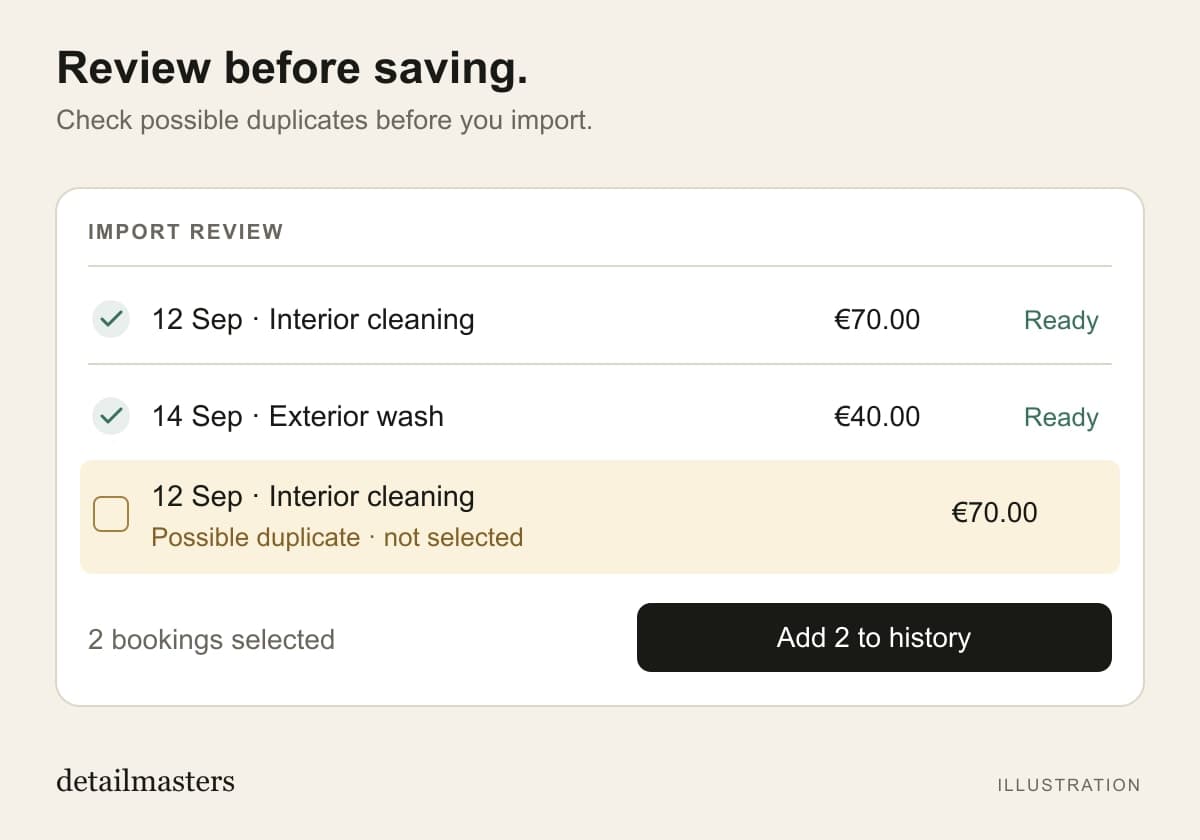
In Bookings, choose Add past booking, then Import file. Check the columns, date format and amounts. Review matched customers and possible duplicates, correct missing details and select the records to save. The import records money already received; it does not charge customers or send them messages. For a single job, choose Enter one and fill in the fields manually.
More time for detailing. Less time on admin.
detailmasters
Run your studio on one platform
Online bookings, customer CRM, automated follow-ups and invoicing — built for detailing studios.
Explore detailmasters CRM